Profiles
Apply pre-configured firewall profiles for common server setups.
About This Page
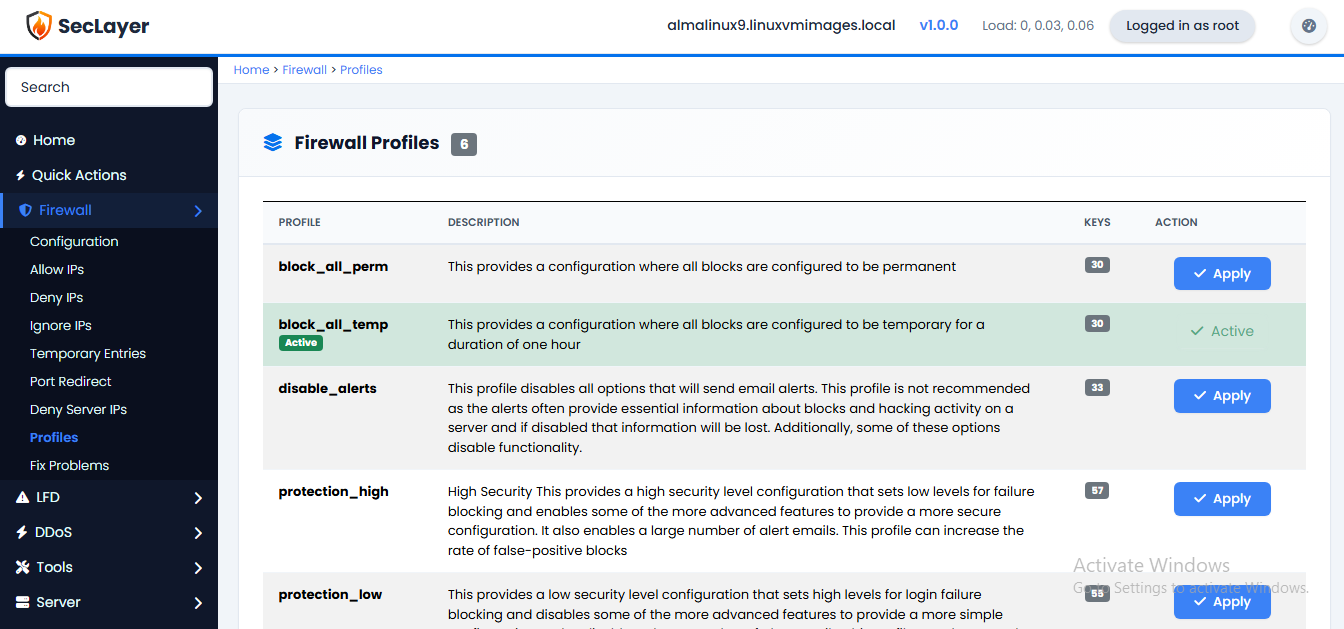
Displays a table of profile files from /etc/seclayer/profiles/*.conf. Each profile shows its name, description, and key count.
How to Apply a Profile
- Navigate to Firewall > Profiles.
- Review available profiles and their descriptions.
- Click Apply on the desired profile.
- Matching config keys are overwritten, new keys are appended.
- Restart the firewall after applying for changes to take effect.