Fix Problems
Run diagnostics to identify and resolve common firewall issues.
About This Page
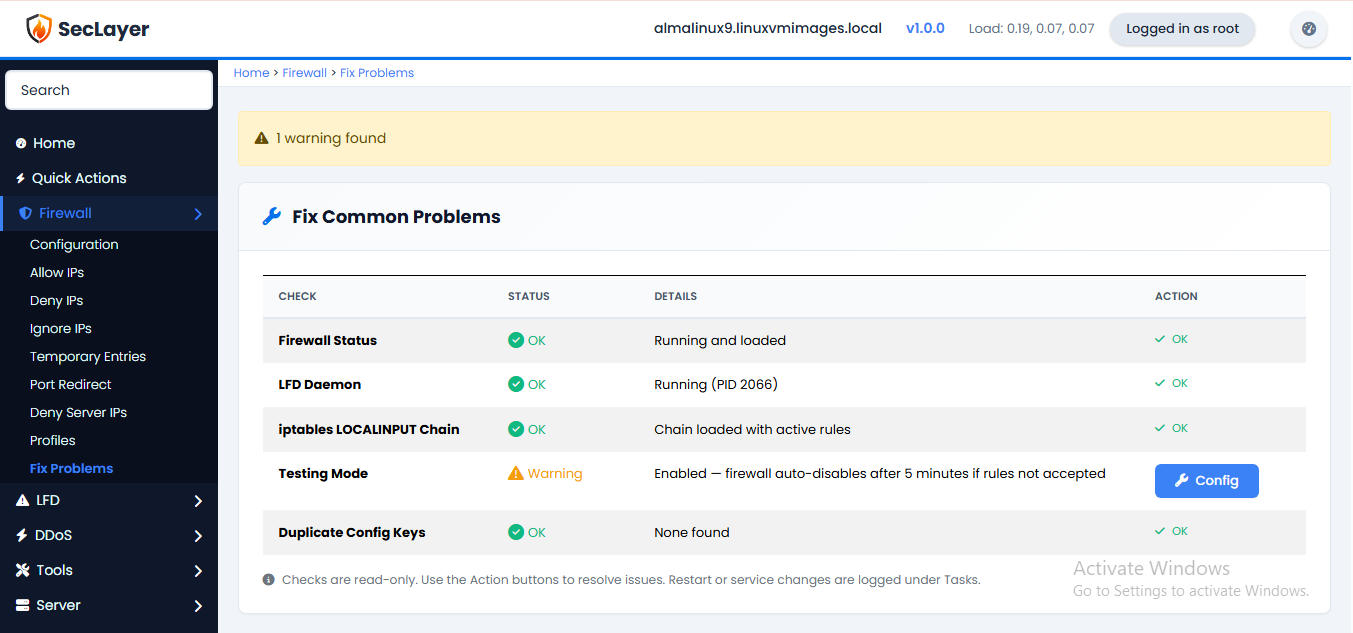
Runs five diagnostic checks and displays results with green/yellow/red status indicators. Each problem row offers an action button to fix the issue.
Checks Performed
- Firewall Status — Checks disable file and iptables LOCALINPUT chain.
- LFD Daemon — Checks process PID.
- iptables LOCALINPUT Chain — Verifies chain integrity.
- Testing Mode — Warns if testing mode is enabled.
- Duplicate Config Keys — Checks for duplicate entries in config.
How to Use
- Navigate to Firewall > Fix Problems.
- Review the diagnostic results.
- Click the action button next to any issue to fix it.