Active Connections
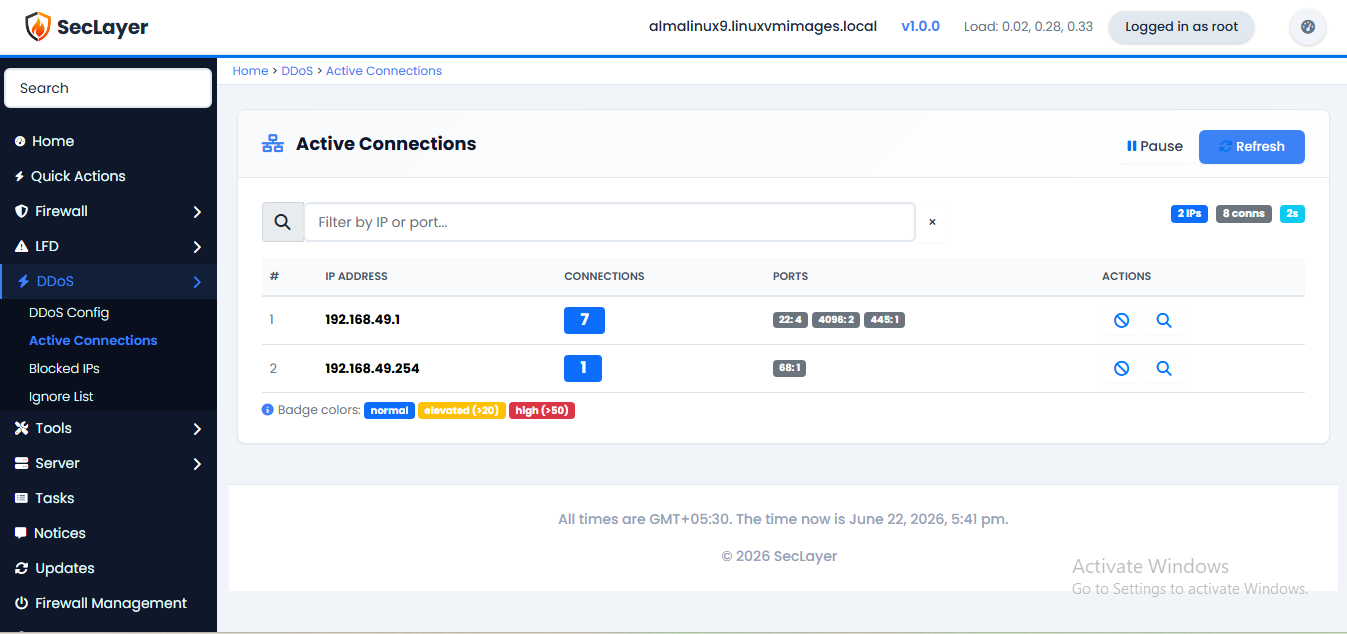
Monitor active network connections in real time with per-IP grouping.
Overview
Displays real-time connections from ss -ntu state connected. Connections are grouped by IP with port breakdowns.
How to Use
- Navigate to DDoS > Active Connections.
- Review the connection table. Connection count badges are color-coded: blue (normal), yellow (>20 elevated), red (>50 high).
- Click Block on any suspicious IP to block it immediately.
- Use the search filter to find specific IPs.
- Pause auto-refresh to investigate specific entries.